Messaging Program

SMS Notifications & Consent

This page documents how MyEntreo collects consent for operational SMS notifications, the exact wording shown to users, and how to opt out. It is published so the consent flow can be reviewed without creating an account.

Last updated: August 17, 2026 · Disclosure version: sms-optin-v2-2026-08

Program summary

MyEntreo sends recurring operational and service-related SMS notifications to customers, business users, and Entreo delivery partners who separately opt in after verifying their mobile number. Messages cover account and onboarding activity, waitlist or application status, orders, pickups, driver or en-route updates, deliveries, and service or support status.

This program does not send marketing or promotional messages. Message frequency varies based on account and order activity. Message and data rates may apply. Consent is optional and is not required to create an account, access or purchase services, or complete a transaction. Recipients are U.S. (+1) mobile numbers only.

If a user declines SMS, or SMS is unavailable, MyEntreo delivers the same service notifications through in-app notifications, push notifications, and email. Carrier participation is not guaranteed, and carriers are not liable for delayed or undelivered messages.
Step 1 — Phone verification (one-time)

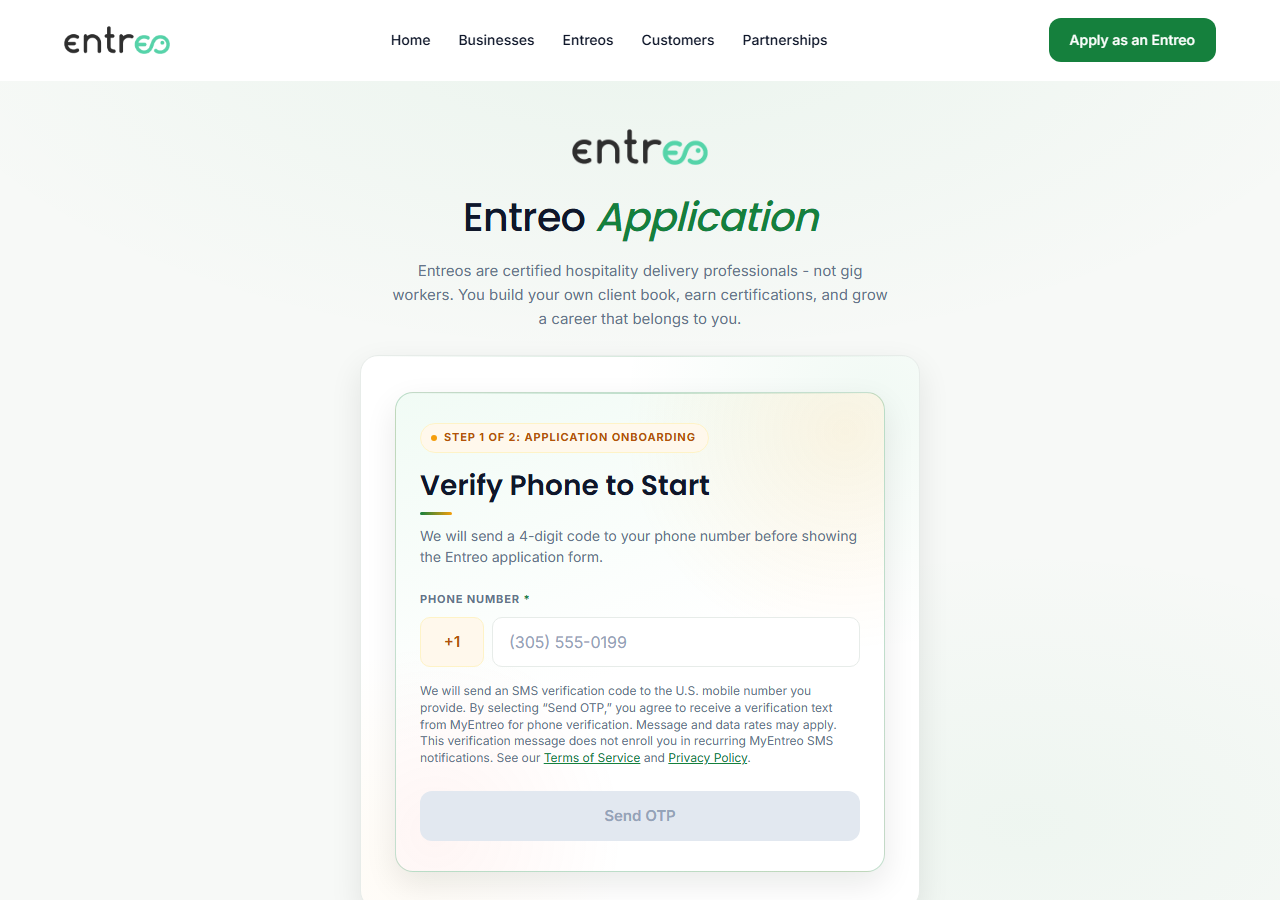
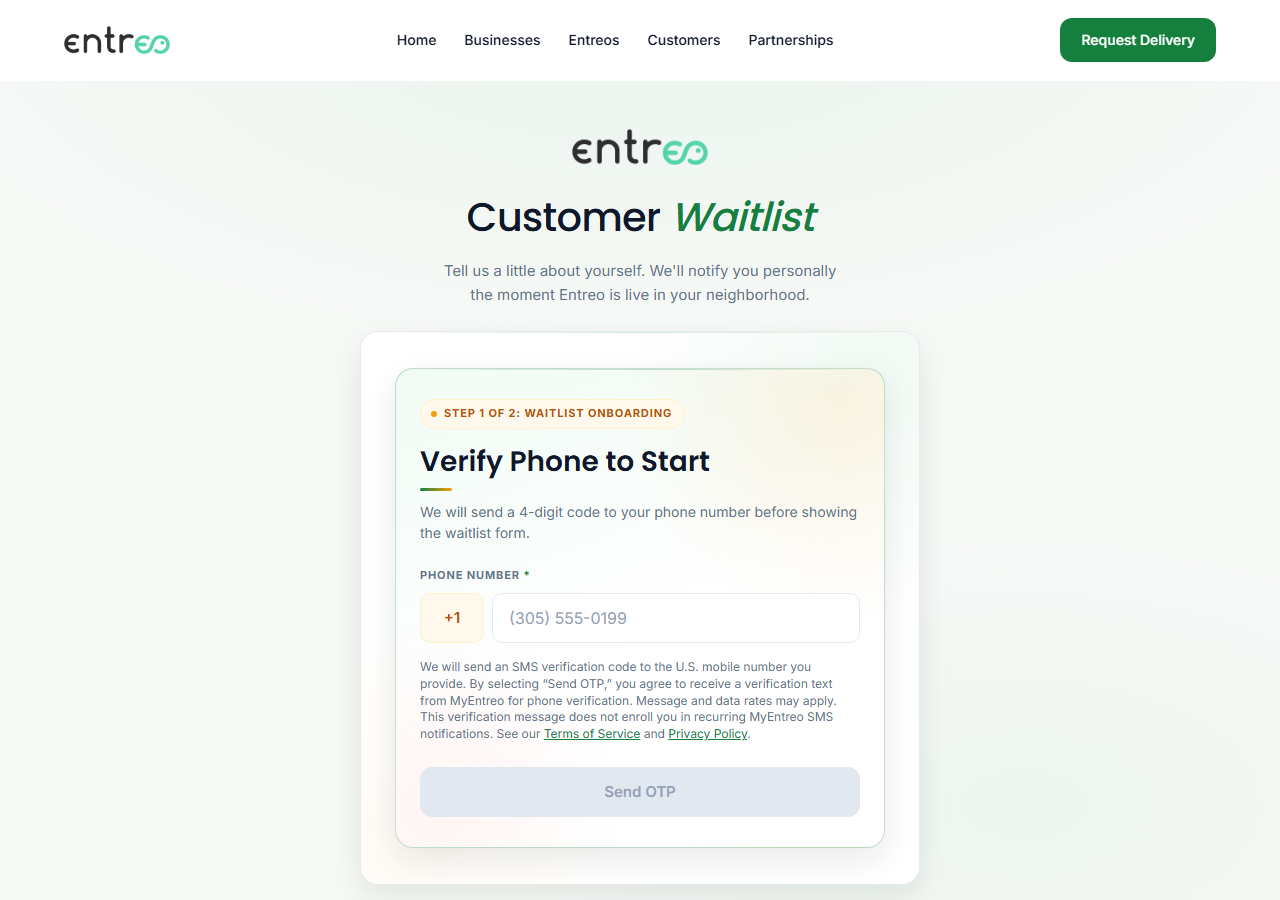
Users first verify their U.S. mobile number. This sends a one-time verification code and is a separate action from the recurring SMS program — verifying a number does not enrol anyone in recurring notifications. The following disclosure is shown next to the phone number field and the Send OTP button:

We will send an SMS verification code to the U.S. mobile number you provide. By selecting “Send OTP,” you agree to receive a verification text from MyEntreo for phone verification. Message and data rates may apply. This verification message does not enroll you in recurring MyEntreo SMS notifications. See our Terms of Service and Privacy Policy.

No recurring-SMS consent control appears on this step.

Step 2 — Optional recurring SMS opt-in (after verification)

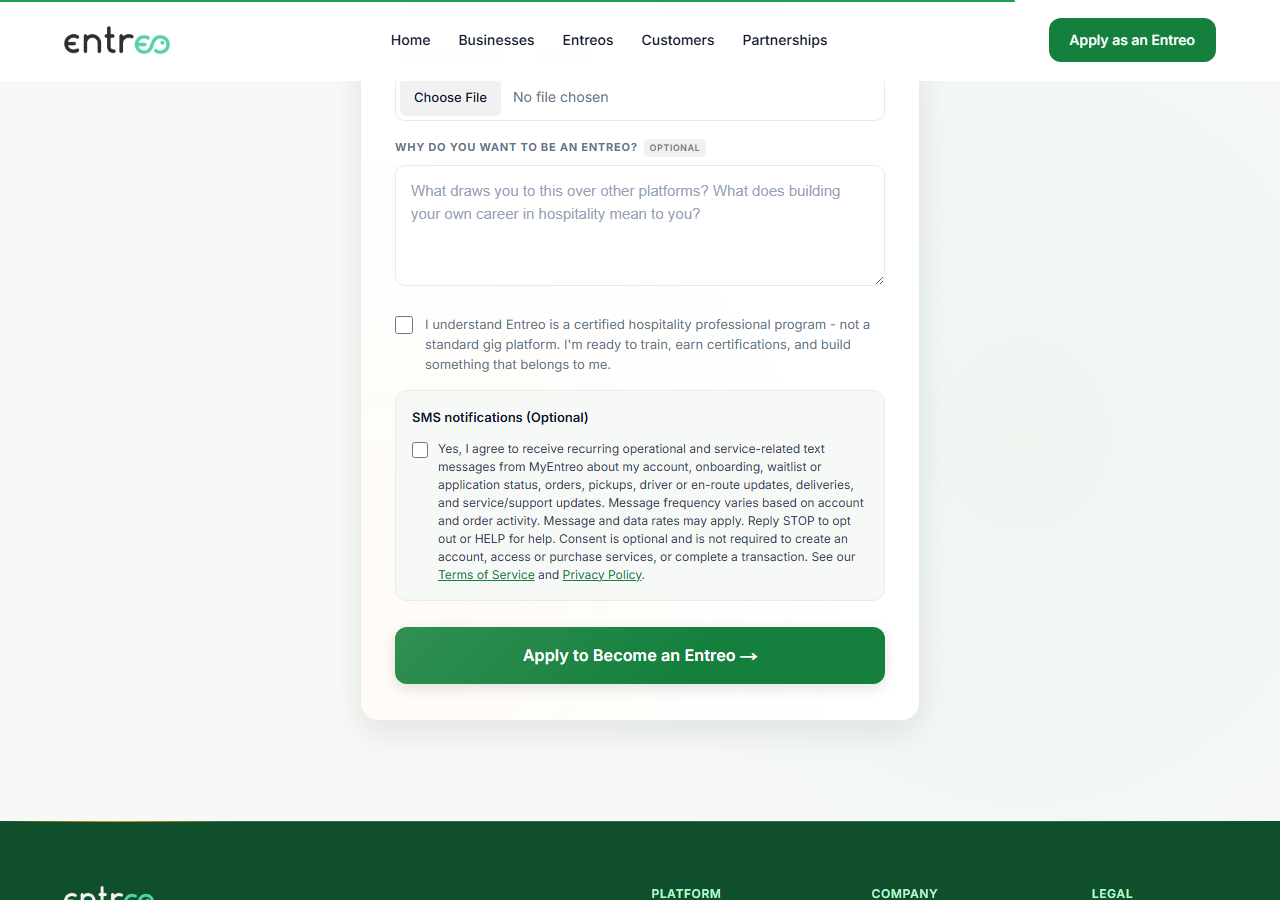
Only after the number is verified is the recurring SMS opt-in offered. It is a single checkbox, unchecked by default, that the user may leave unchecked and still complete registration. The heading and label read exactly:

SMS notifications (Optional)

Yes, I agree to receive recurring operational and service-related text messages from MyEntreo about my account, onboarding, waitlist or application status, orders, pickups, driver or en-route updates, deliveries, and service/support updates. Message frequency varies based on account and order activity. Message and data rates may apply. Reply STOP to opt out or HELP for help. Consent is optional and is not required to create an account, access or purchase services, or complete a transaction. See our Terms of Service and Privacy Policy.

Initial opt-in is collected only through this control. It is never collected by texting a keyword. START is used solely to re-enable messages after a previous STOP.

Where consent is collected

Consent is recorded separately for each role, even when the same phone number is used for more than one. Opting in as a Customer does not opt that number in as a Business or delivery partner.

Customer

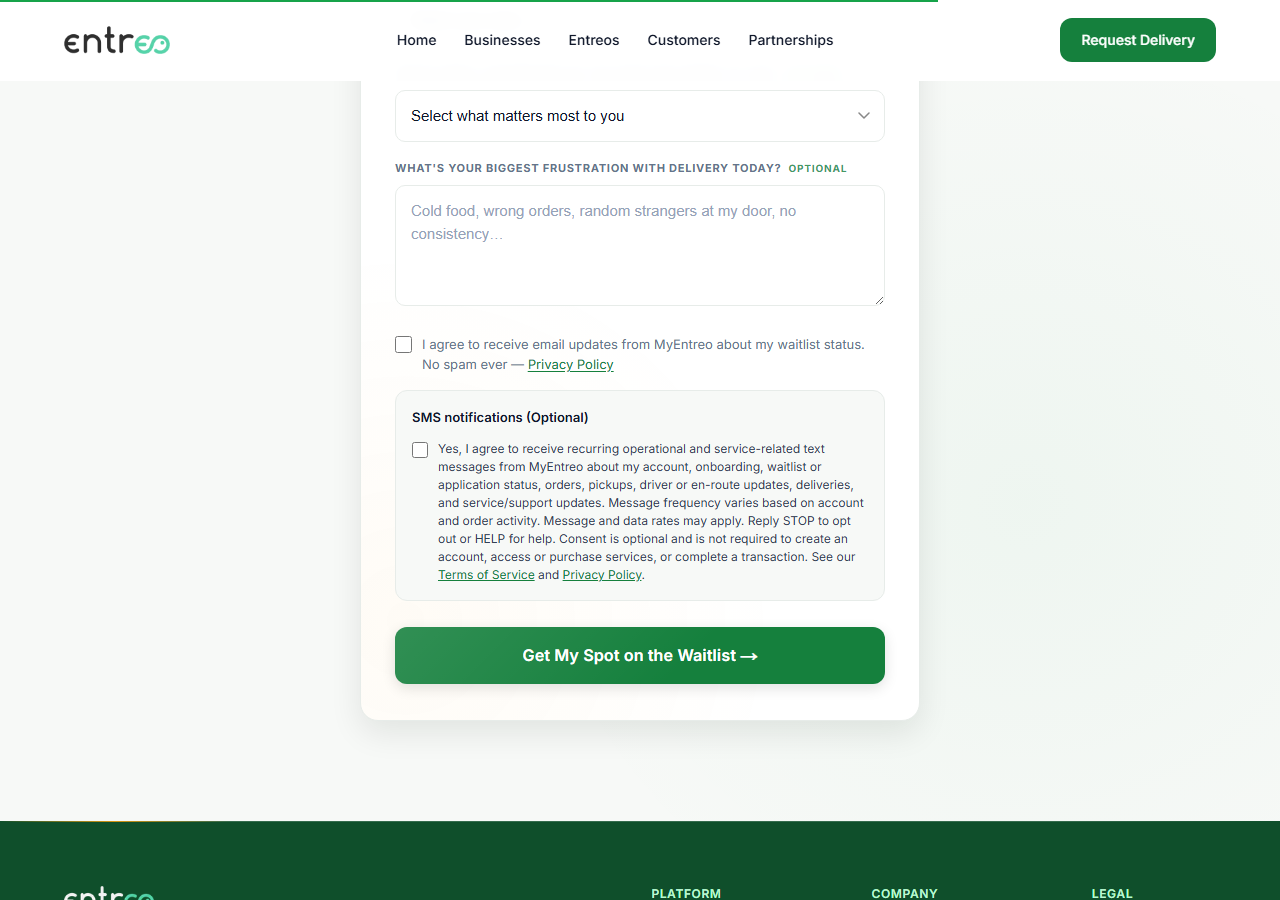
Customer waitlist onboarding. After the mobile number is verified, the optional SMS notifications control appears within the waitlist form.

myentreo.com/user

Customer: The phone verification step, showing the verification-only disclosure next to the Send OTP button and no SMS consent checkbox.
Step 1 — phone verification. The disclosure covers the one-time verification message only, and there is no recurring-SMS consent control anywhere on this step.
Customer: The onboarding form after verification, showing the SMS notifications (Optional) section with an unchecked checkbox and the full consent disclosure.
Step 2 — after the number is verified, the optional SMS notifications control appears within the onboarding form. It is unchecked, and the full disclosure is shown beside it.
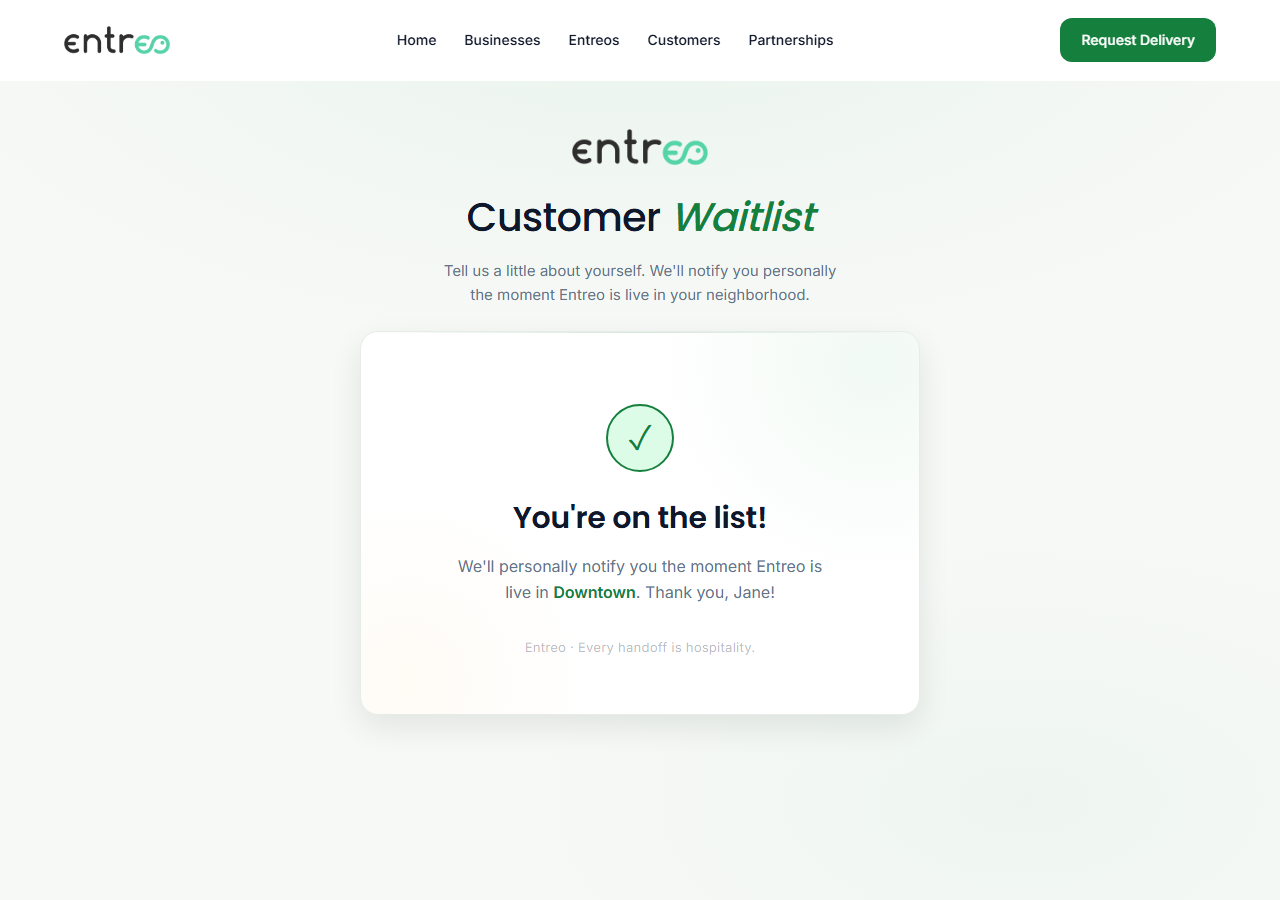
Customer: The confirmation screen after submitting the form without opting in to SMS.
Step 3 — the same form submitted with the SMS box left unchecked. Registration completes normally, which is what makes the consent optional rather than a condition of service.

Business

Business partner onboarding. After the mobile number is verified, the optional SMS notifications control appears within the partner application form.

myentreo.com/business

Business: The phone verification step, showing the verification-only disclosure next to the Send OTP button and no SMS consent checkbox.
Step 1 — phone verification. The disclosure covers the one-time verification message only, and there is no recurring-SMS consent control anywhere on this step.
Business: The onboarding form after verification, showing the SMS notifications (Optional) section with an unchecked checkbox and the full consent disclosure.
Step 2 — after the number is verified, the optional SMS notifications control appears within the onboarding form. It is unchecked, and the full disclosure is shown beside it.
Business: The confirmation screen after submitting the form without opting in to SMS.
Step 3 — the same form submitted with the SMS box left unchecked. Registration completes normally, which is what makes the consent optional rather than a condition of service.

Entreo delivery partner

Entreo delivery partner application. After the mobile number is verified, the optional SMS notifications control appears within the application form.

myentreo.com/entreo

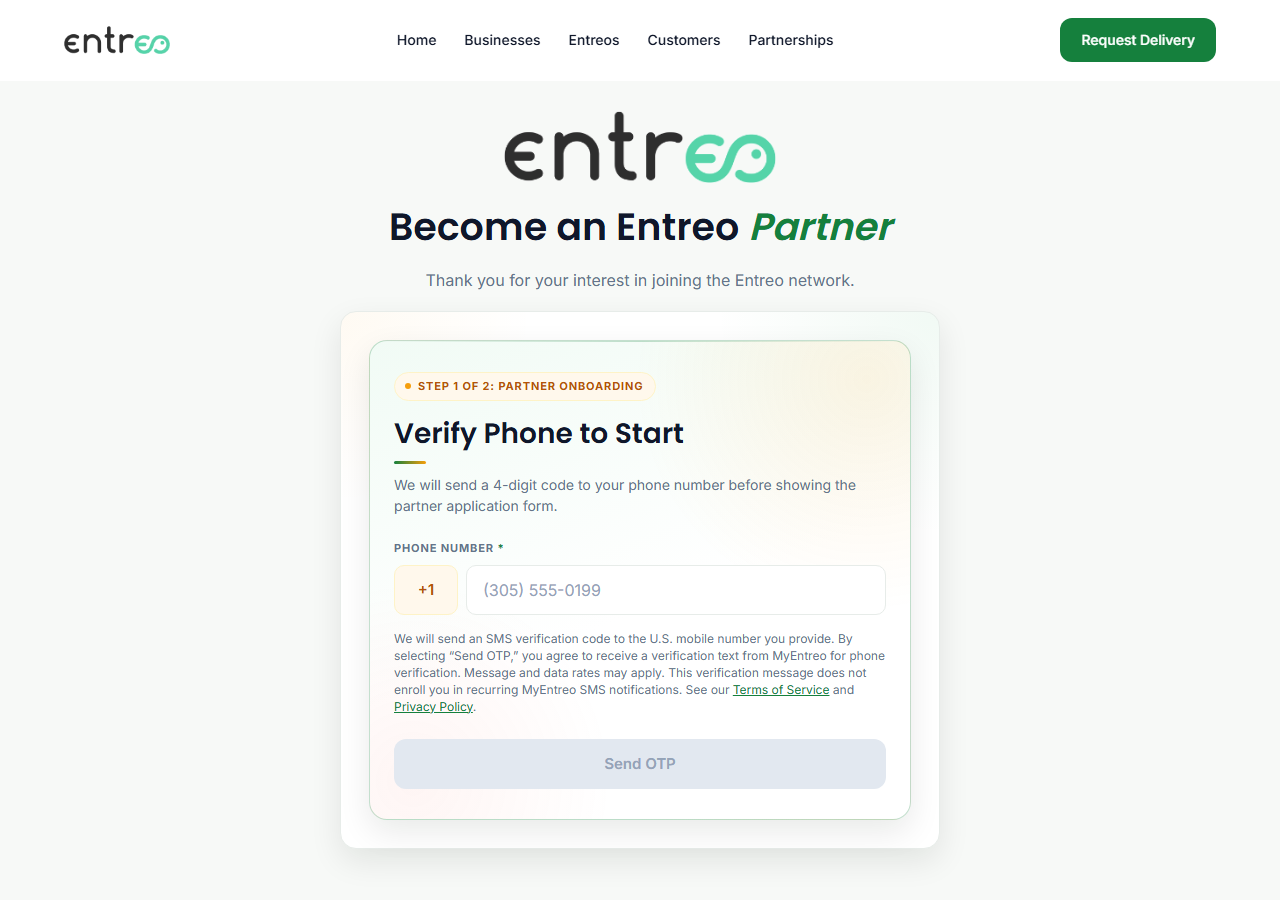
Entreo delivery partner: The phone verification step, showing the verification-only disclosure next to the Send OTP button and no SMS consent checkbox.
Step 1 — phone verification. The disclosure covers the one-time verification message only, and there is no recurring-SMS consent control anywhere on this step.
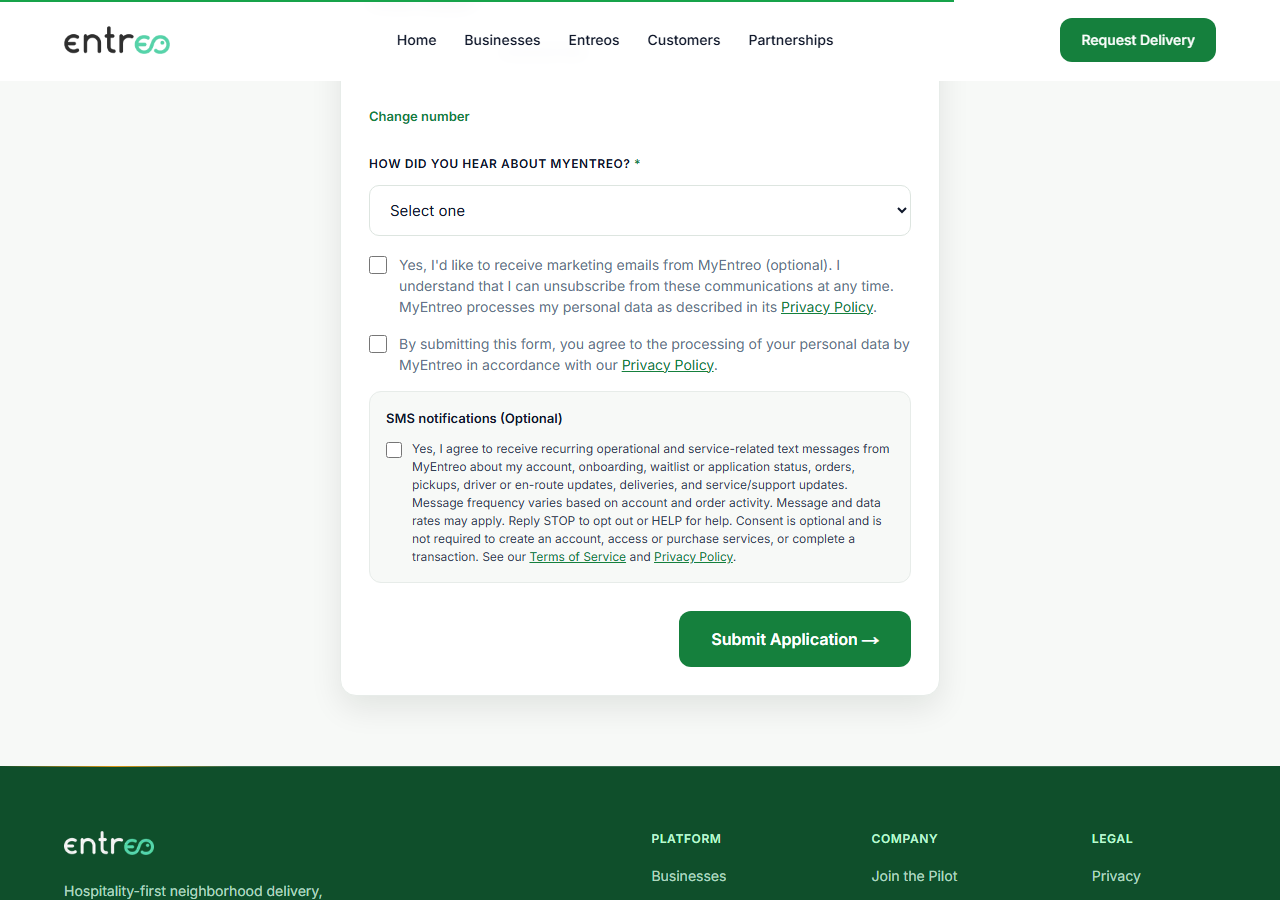
Entreo delivery partner: The onboarding form after verification, showing the SMS notifications (Optional) section with an unchecked checkbox and the full consent disclosure.
Step 2 — after the number is verified, the optional SMS notifications control appears within the onboarding form. It is unchecked, and the full disclosure is shown beside it.
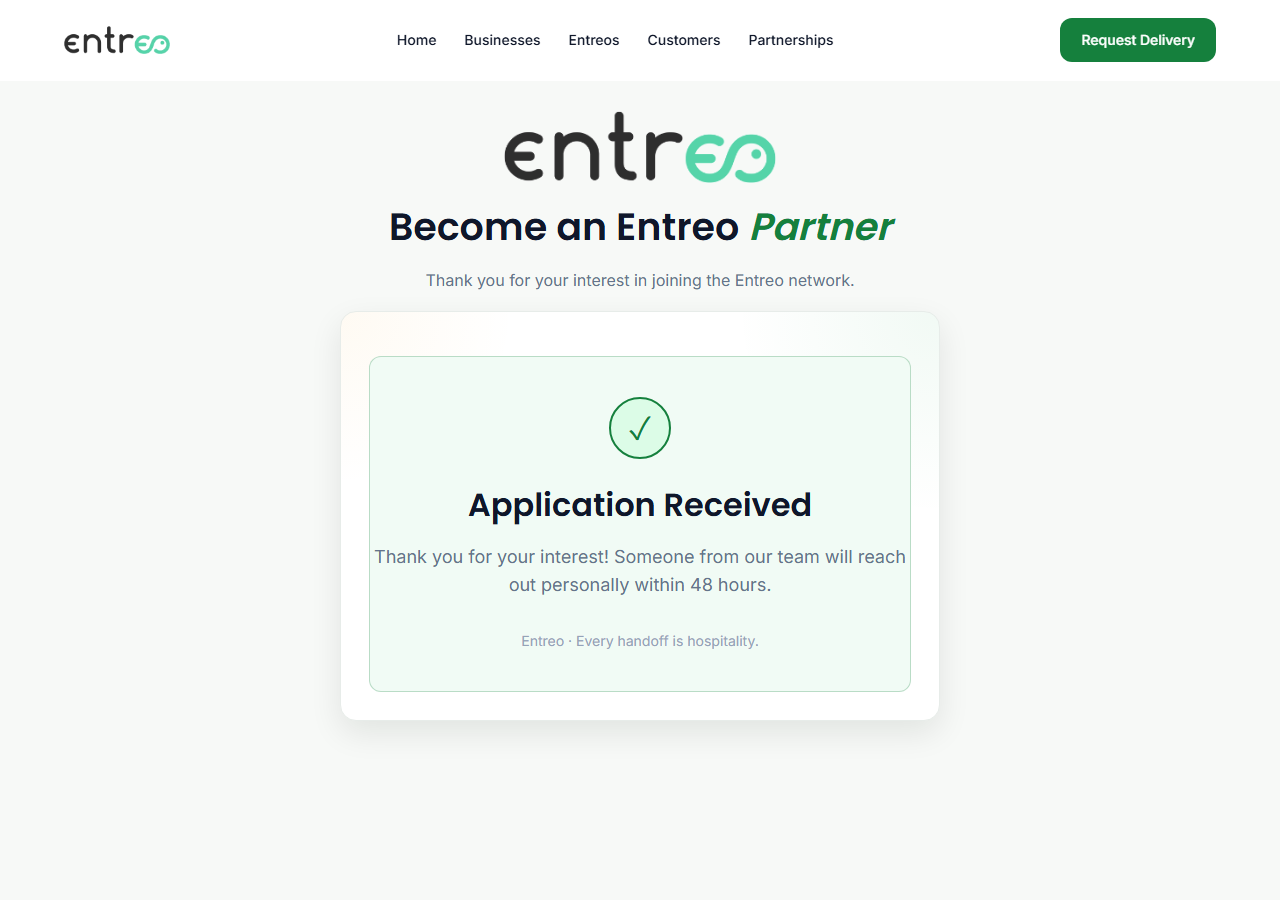
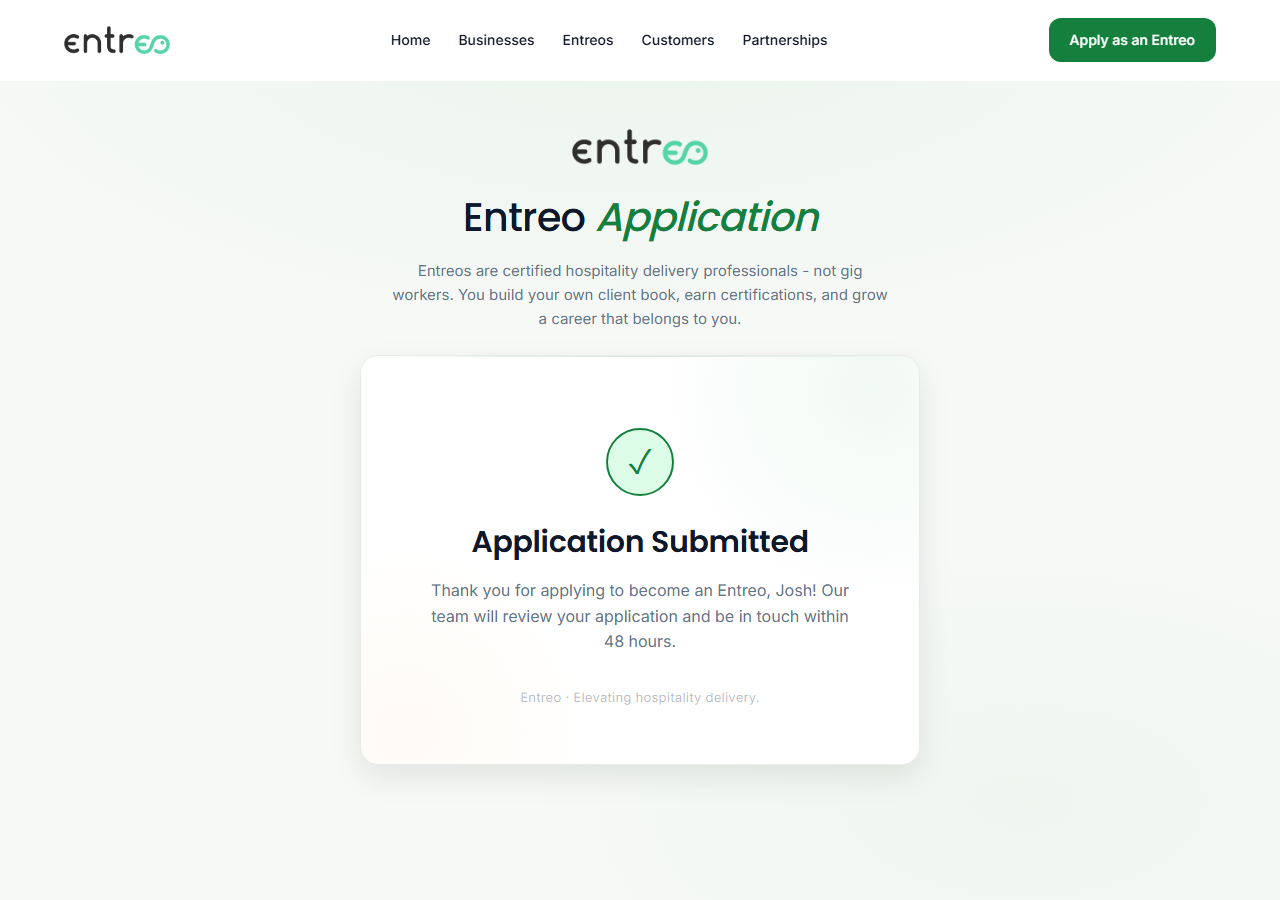
Entreo delivery partner: The confirmation screen after submitting the form without opting in to SMS.
Step 3 — the same form submitted with the SMS box left unchecked. Registration completes normally, which is what makes the consent optional rather than a condition of service.

Opting out and getting help

Reply STOP to any MyEntreo message to unsubscribe. This stops all MyEntreo operational SMS to that number across every role. Service updates continue through in-app, push, and email.

Reply START to re-enable SMS after a previous STOP. This restores messages only for roles the user had already opted in to; it does not create consent that was never given.

Reply HELP for help, or email support@myentreo.com. Users can also turn SMS off per role in their MyEntreo communication settings.

Policies

Privacy Policy — includes the SMS Messaging and Mobile Information section covering message frequency, message and data rates, opt-out, and how mobile information is handled.

Terms & Conditions — includes the SMS Messaging Terms section.

MyEntreo Inc · 131 Continental Drive Suite 305, Newark, Delaware 19713 · support@myentreo.com